How to design a professional eBook cover is not just about aesthetics; it’s about creating a visual representation that speaks to your audience. A well-designed cover can be the difference between a potential reader clicking on your book or scrolling past it. Think of it as the first handshake between your content and the market, setting the stage for what’s inside.
Understanding the elements that contribute to an effective eBook cover design, such as color schemes, typography, and imagery, is crucial. Avoiding common pitfalls like cluttered layouts and unprofessional graphics can elevate your work and make a lasting impression on readers.
Understanding eBook Cover Design

A professional eBook cover plays a pivotal role in the publishing world, especially in a digital landscape saturated with content. It’s often the first interaction a potential reader has with your book, making it essential to create a lasting impression that captivates and entices. A well-designed cover not only reflects the book’s genre and tone but also instills credibility and professionalism.Effective eBook cover design comprises several key elements that harmonize to attract readers.
Understanding these components is crucial for authors and designers alike. A successful cover integrates visual appeal, thematic relevance, and clarity to deliver a striking representation of the book’s content.
Significance of a Professional eBook Cover
A professional eBook cover can significantly impact sales and reader engagement. It serves as the visual identity of the book and can influence a reader’s buying decision.
“An eye-catching cover can be the difference between a book being overlooked and it becoming a bestseller.”
Elements of Effective eBook Cover Design
To achieve a compelling eBook cover, it’s important to incorporate the following elements:
Title and Author Name
The title should be prominent and legible, with the author’s name clearly displayed to establish brand recognition.
Imagery
Illustrative graphics or photos that align with the theme of the book can evoke emotions and draw in potential readers. For instance, a fantasy novel might feature a mystical landscape, while a romance novel could showcase a couple in a romantic setting.
Color Scheme
The colors used should enhance the mood of the book. For example, darker hues may suggest mystery or suspense, whereas bright colors may indicate a light-hearted or humorous story.
Typography
The choice of font contributes significantly to the overall aesthetic. Fonts should be readable and complement the genre—serif fonts often express sophistication, while sans-serif fonts lend a more modern feel.
Branding Elements
If the book is part of a series or if the author has a brand, incorporating these elements can create continuity and recognition across multiple works.
Common Mistakes to Avoid When Designing an eBook Cover
Designing an eBook cover comes with its own set of challenges. Being aware of common pitfalls can save time and ensure a more effective design. One major mistake is neglecting the target audience while designing the cover. It’s crucial to create a cover that speaks directly to the intended readers, as they will determine the book’s success.Another frequent error is overcrowding the cover with too much information.
A cluttered design can confuse potential readers and detract from the central theme. Additionally, overlooking the importance of high-quality images can lead to a lackluster presentation. A blurry or pixelated image can convey unprofessionalism and reduce credibility.Lastly, failing to test the design on multiple platforms can result in inconsistencies. A cover that looks great on a computer screen might not translate well to a mobile device or when viewed in thumbnail size.
Tools and Software for Designing eBook Covers
Designing an engaging and professional eBook cover requires the right tools and software to bring your creative vision to life. With the right resources at your disposal, you can craft a stunning cover that not only attracts readers but also reflects the essence of your content. Below, we explore various design software options, tips for non-designers, and essential features to consider for enhancing your creativity.
Popular Design Software for Creating eBook Covers
Several design tools cater to different skill levels and design needs. Here’s a look at some of the most popular software options available:
- Adobe Photoshop: A powerful tool for professionals, offering extensive features for photo editing and graphic design.
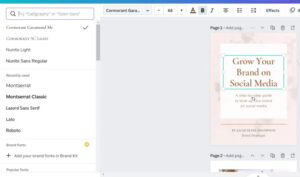
- Canva: An intuitive online graphic design platform perfect for beginners, with a wide range of templates tailored for eBook covers.
- GIMP: A free and open-source alternative to Photoshop, suitable for users who have some design experience and are comfortable with more complex tools.
- BookCoverZone: An online service that provides pre-made eBook cover designs, allowing users to customize them easily.
- Affinity Designer: A budget-friendly, professional-grade design software with features that rival Adobe products.
Each of these tools offers unique benefits, making it essential to choose one that aligns with your design skills and project requirements.
Using Online Tools for Non-Designers
Online design tools provide an accessible entry point for individuals who may not have formal design training. Here are several tips to effectively utilize these resources:
- Leverage Templates: Most online tools offer pre-designed templates specifically for eBook covers. These templates can serve as a solid starting point, allowing you to customize colors, fonts, and images easily.
- Explore Tutorials: Take advantage of available tutorials and guides provided by the platform. These resources can help you understand features and functionalities better.
- Experiment with Features: Don’t hesitate to experiment with various design elements, even if you are unfamiliar with them. Play with fonts, color palettes, and layout options to see what resonates with your vision.
By following these tips, non-designers can create visually appealing eBook covers while building their design skills in the process.
Features to Enhance Creativity in Design Software
When selecting design software, certain features can significantly enhance your creative process and output quality. Consider the following features:
- Customizability: Look for software that allows you to customize templates and design elements extensively. This flexibility will enable you to create unique covers that reflect your personal style.
- Access to Stock Images: Choose a tool that provides access to a library of high-quality stock images. This can save time and improve the visual appeal of your cover.
- Text Manipulation Options: The ability to manipulate text with various fonts, sizes, and effects is crucial for creating eye-catching titles and subtitles.
- Collaboration Features: Some software allows for collaboration with others, making it easier to get feedback and make necessary adjustments quickly.
Incorporating these features into your design process can lead to more innovative and captivating eBook covers that leave a lasting impression on potential readers.
Marketing Your eBook Through Cover Design
The design of your eBook cover plays a pivotal role in its marketing strategy. An eye-catching cover not only grabs attention but also communicates the essence of your content. In today’s digital landscape, where readers are inundated with choices, a professionally designed cover can significantly enhance your eBook’s marketability and overall success.
Relationship Between eBook Cover Design and Banner Advertising Effectiveness
The effectiveness of banner advertising can be heavily influenced by eBook cover design. A visually appealing cover can lead to higher click-through rates when used in ads. The aesthetics of a cover create a first impression that can either attract or repel potential readers. Well-designed covers utilize color schemes, typography, and imagery that resonate with the target audience, making them more likely to engage with the advertisement.
For instance, research has shown that ads featuring professional-quality visuals receive up to 94% more views than those with less polished designs. This demonstrates that investing in high-quality cover design can amplify the impact of your promotional efforts.
Impact of Professional Covers on Email Marketing Campaigns
Professional eBook covers can significantly influence the success of email marketing campaigns. A striking cover image can increase the open rates of emails by piquing the curiosity of recipients. When you include a well-designed cover in your email marketing, it serves as a visual anchor, capturing attention amidst a crowded inbox. Moreover, emails that feature images tend to have a 42% higher click-through rate compared to text-only emails.
This means that integrating your eBook cover into your email strategy not only enhances aesthetic appeal but also drives engagement and conversions.
Enhancing Visibility in Forums and Blogging with Attractive Covers
An attractive eBook cover can greatly enhance its visibility in online forums and blogs. When shared in discussions or as part of guest posts, a visually compelling cover can draw more attention and encourage shares. Covers that are designed with clarity and impact can help your eBook stand out in crowded digital spaces, increasing its chances of being discussed or recommended.
Additionally, platforms like Goodreads or specialized book blogs often highlight covers in their features, and a captivating design can make a difference in gaining that much-needed visibility. The right cover can make your eBook memorable, leading to organic promotion through word-of-mouth and social sharing.
“A great cover can be the difference between a reader clicking ‘buy’ or scrolling past.”
Last Recap
In summary, the journey of designing a professional eBook cover intertwines creativity with marketing savvy. By utilizing the right tools and understanding the impact of your design choices, you can craft a cover that not only attracts attention but also reflects the quality of your content. Remember, your cover is your book’s first impression—make it count!
FAQ Insights
What size should my eBook cover be?
The standard size for an eBook cover is typically 1,600 x 2,560 pixels, which offers a good balance for both print and digital formats.
Can I use stock images for my eBook cover?
Yes, but ensure you have the appropriate licenses for any stock images you use to avoid copyright issues.
What software is best for eBook cover design?
Popular options include Adobe Photoshop, Canva, and GIMP, each offering various features suitable for different skill levels.
How important is typography in eBook cover design?
Typography is crucial as it conveys the tone of your book and ensures readability, making it an essential element of your design.
Should I hire a professional designer for my cover?
If budget allows, hiring a professional designer can greatly enhance your cover’s appeal, but there are also many templates and tools available for DIY design.